Table of Contents
This page has been updated to highlight my experience using Zed on Linux.
Intro
Atom was my favourite code editor until it was sunset. I then switched to using VSCode which is good, but I found its performance subpar on my old laptop.
A few months ago, I heard of a new text editor called Zed. Interestingly, the creators of Zed have worked on Atom as well. Sadly, Zed was not yet available on Windows at release. Well, it still isn’t but now it can be compiled from source.
Compiling from source for Windows
The instructions listed in the repo were fairly straightforward. But it did take me around 25 minutes to build it all. I don’t have experience building rust apps from scratch, so I’m not sure if this is an ideal time or just a result of aging hardware on my laptop.
Look and Feel
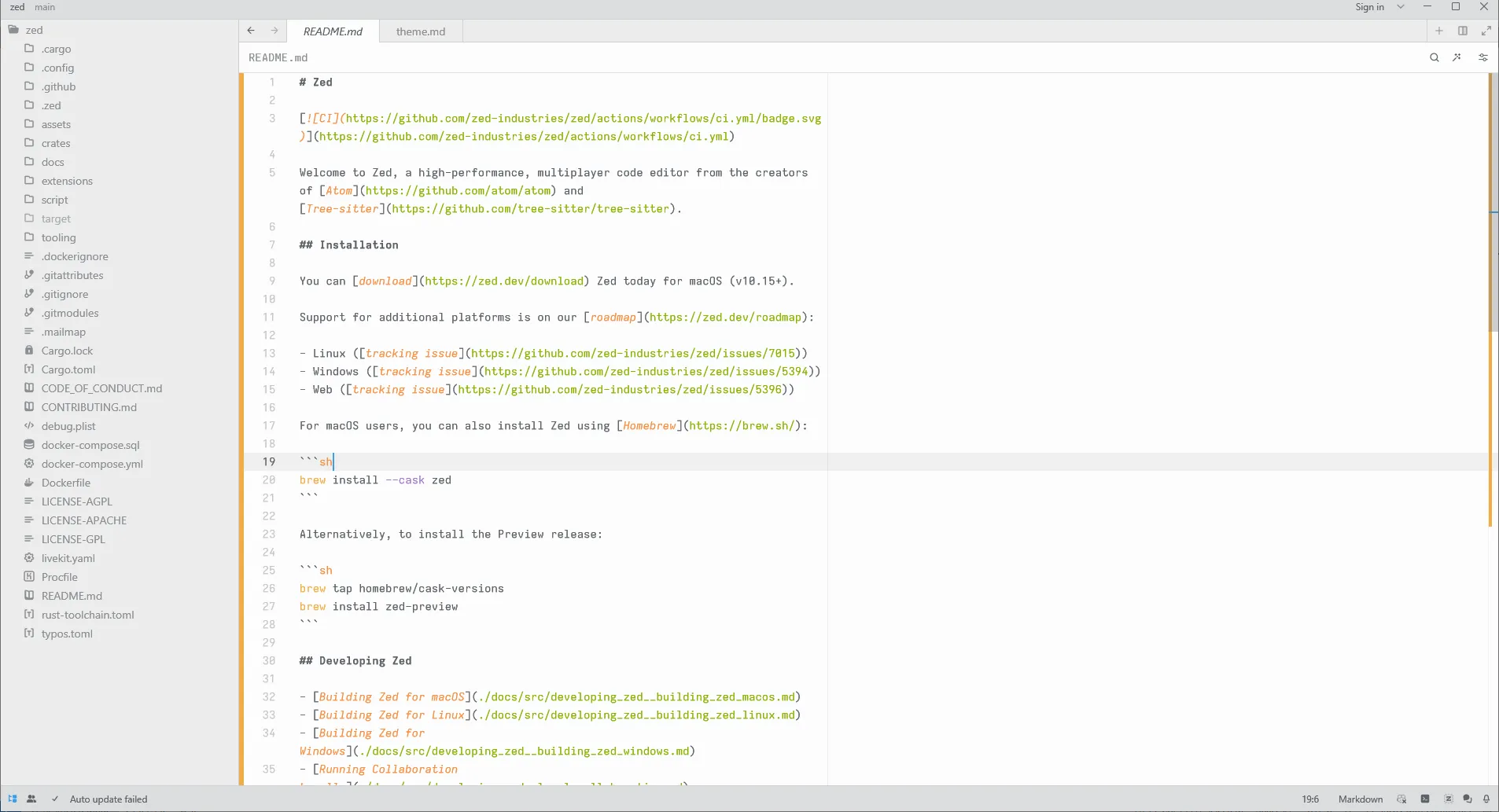
On first glance, I felt it was similar to atom. The UI isn’t something completely new and follows a similar layout to almost all the text editors out there today, which is to be expected because developers are not just going to learn their way around a new layout for a new text editor.
Performance
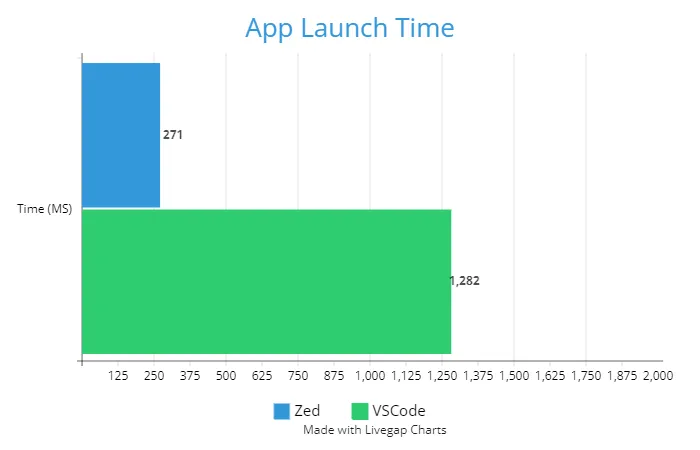
Zed was fast. Extremely fast. Files and large directories opened in a snap. I did see the performance benchmark comparison listed on their website, but I was still surprised at the quickness with which it operated. Now I get why Rust can be huge for software.
Here is a quick comparison of app launch times.
Features
Given that it is in active development, the overall editor is quite bare bones which I like. I don’t think a code editor needs a lot of features. The theme selection is pretty decent, and it supports keymaps for all the popular editors out there. It also has support built in for vim mode. It has a bunch of other features that are not yet available on Windows.
On Linux
At the time of writing this blog, I was on windows. But, now I have migrated to Linux and Zed recently released native support for linux. My experience on Linux has been really good. It’s simple, fast and easy to use. Although, I have used Zed more like text editor rather than a code editor it has been a good expereince using Zed on Linux. I feel it is less bloated compared to VSCode but, that could be because it’s still a new kid on the block.
Conclusion
Zed looks quite promising, but it is still in its infancy. While the code is open source, Zed requires contributors to sign a CLA and they also have raised private funding. As an end-user, this makes me concerned about the long term revenue prospects for the code editor. This is probably because I have seen plenty of venture-backed projects shut down, get acquired, or both. Only time will tell if Zed can live on.